
Add a site map to your tournament
Draw your fields on a satellite map, mark the restrooms, food, first aid and anything else teams need to find, and show it on your public info page.
Reviewed November 11, 2026 · Verified for b4eff22
Before you start
- A tournament you created or help run as a co-admin
- Your fields added under Format
The short answer
Open Format, then Fields. In Site map, find your venue, select Place on map for each field and drag it into place. Choose a marker such as Restrooms and tap the map where it goes. Check Show the site map on the public info page and select Save site map.
What you will do
A site map shows teams and parents where each field is and where to find the restrooms, food, first aid and parking on the day.
You draw it once on a satellite map. It appears on your tournament’s info page, and every game’s field links to it.
Before you start
- Add your fields first. The map uses the same field names as your schedule.
- You need the venue’s name or ZIP code so the map opens in the right place.
- Nothing is public until you check Show the site map on the public info page.
How to do it
- 1
Open the site map
Open Format, then Fields. Site map is below your list of fields.
- 2
Find your venue
If the map does not show your venue yet, type the venue name or ZIP code in Venue or ZIP code and select Find.
- 3
Place your fields
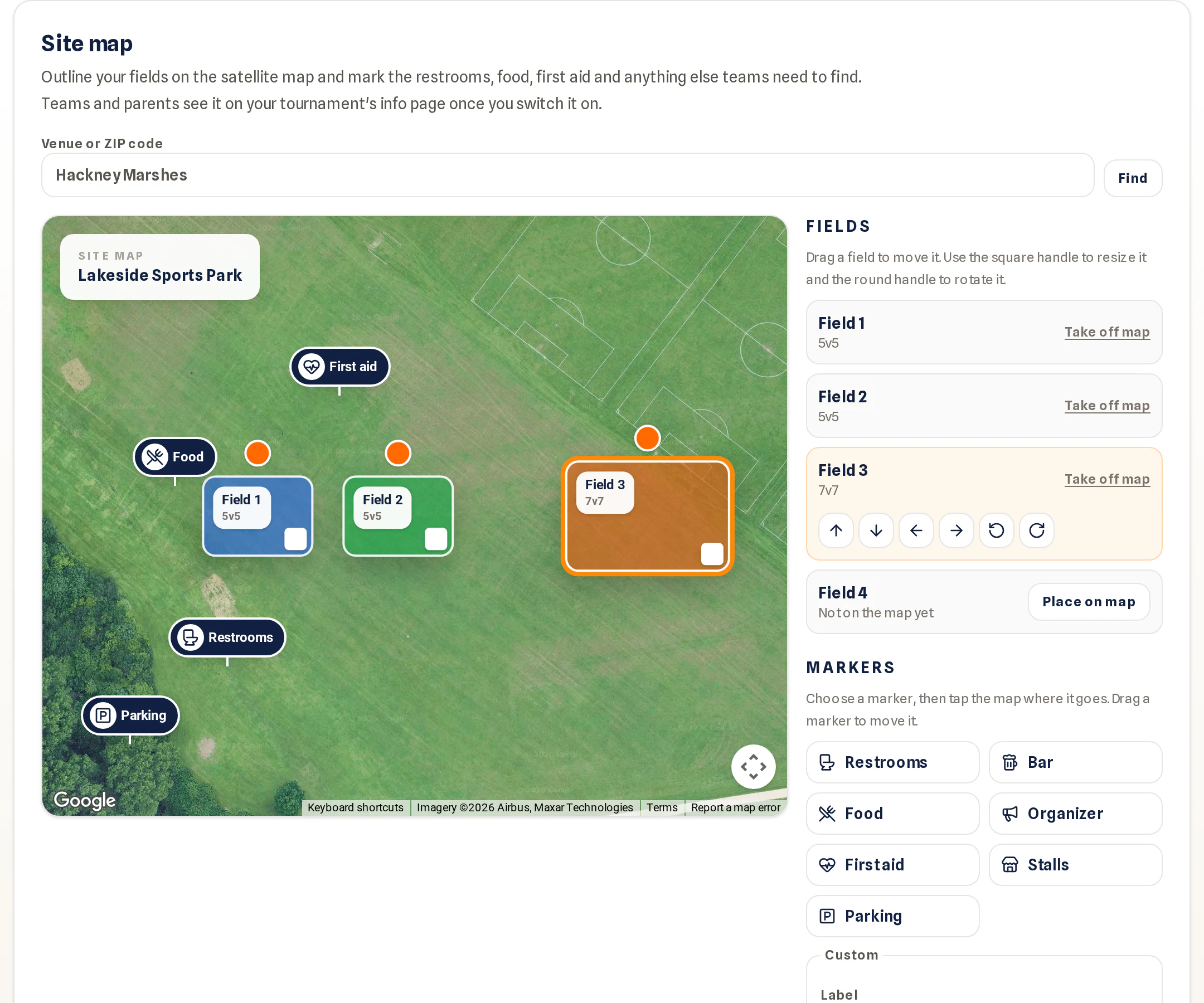
Select Place on map next to each field. Drag a field to move it, use the square handle to resize it and the round handle to rotate it. On a phone, the Fine-tune buttons move or turn the selected field a little at a time.
 Open full-size screenshot
Fields and markers on the site map; the list on the right places fields and markers.WEB · captured November 12, 2026 - 4
Add markers
Choose a marker, for example Restrooms, Food, First aid or Parking, then tap the map where it goes. For anything else, type a Label, pick an Icon and select Place on map. Drag a marker to move it, or select Remove to take it off.
- 5
Publish it
Check Show the site map on the public info page and select Save site map.
- 6
Check what teams and parents see
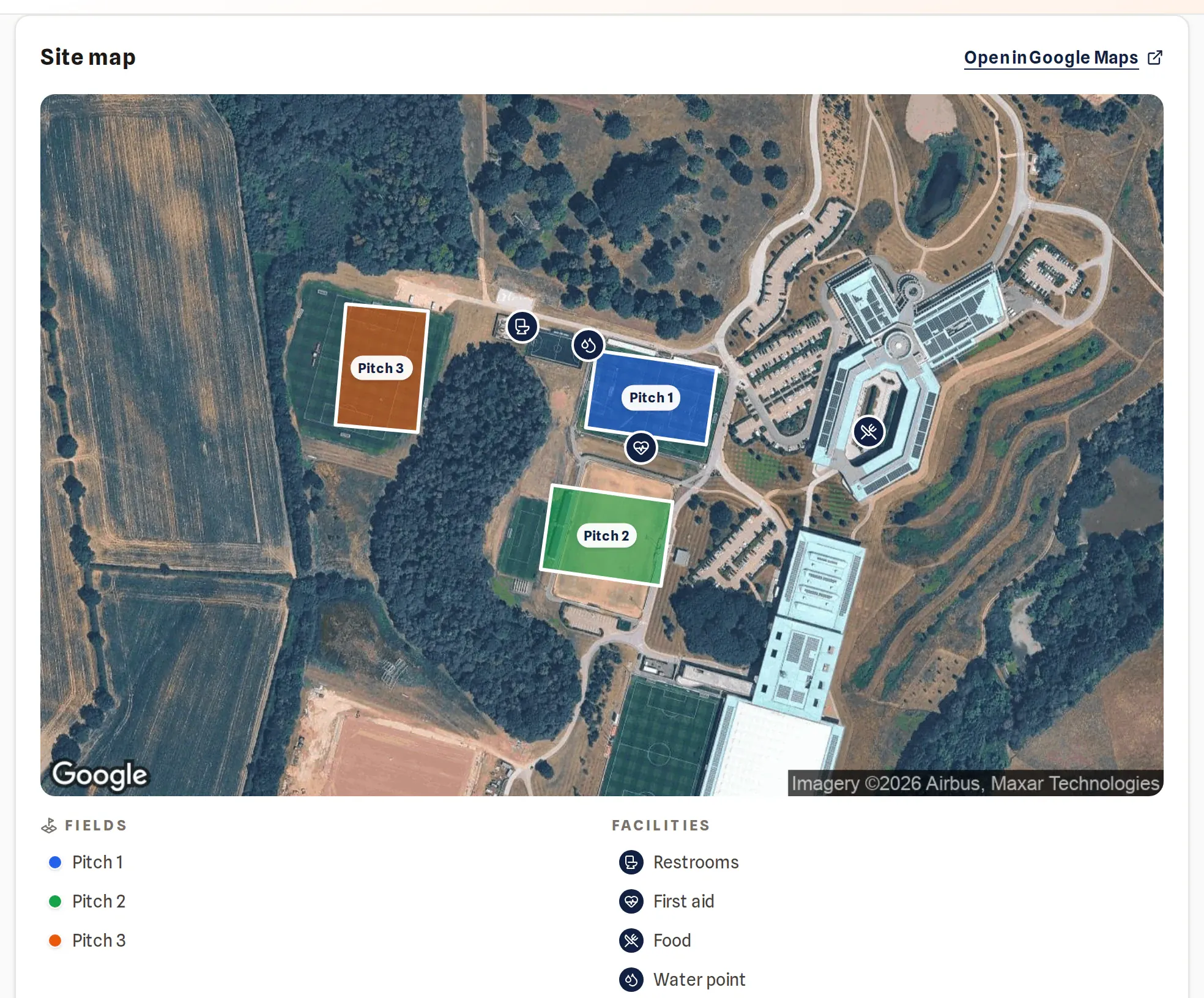
Open your public info page. It shows the map with the field names and markers, and a key underneath. Open in Google Maps opens the same place in Google Maps for directions. Wherever a game shows its field, the field name links to its place on the map.
 Open full-size screenshot
The site map on the public info page.WEB · captured November 12, 2026
Check you are ready
- Every field your schedule uses is on the map.
- The restrooms, first aid and parking are marked.
- Show the site map on the public info page is checked and you selected Save site map.
- Your info page shows the map. Open it from your public tournament page to check.
Common problems
The map does not load
Check your connection and reload the page. Your fields and markers are kept until you save, and nothing is lost if the map loads later.
Can I use the fields my club has already drawn?
Yes, if your club uses Playlee Clubs and you manage its grounds. Under Start from your club's grounds, pick the ground and select Copy fields. Fields with the same name get the club’s outline, and missing ones are added. Later changes to the club’s map do not change your tournament.
The site map is not on my info page
Check Show the site map on the public info page and select Save site map. The map needs at least one field or marker on it.