For coaches and team managers
Manage your team from the Playlee app
Manage the squad, availability, fixture details and matchday. If you also help run the club, you can switch to the club admin view with the same account.


Your club assigns your role and the right teams appear.
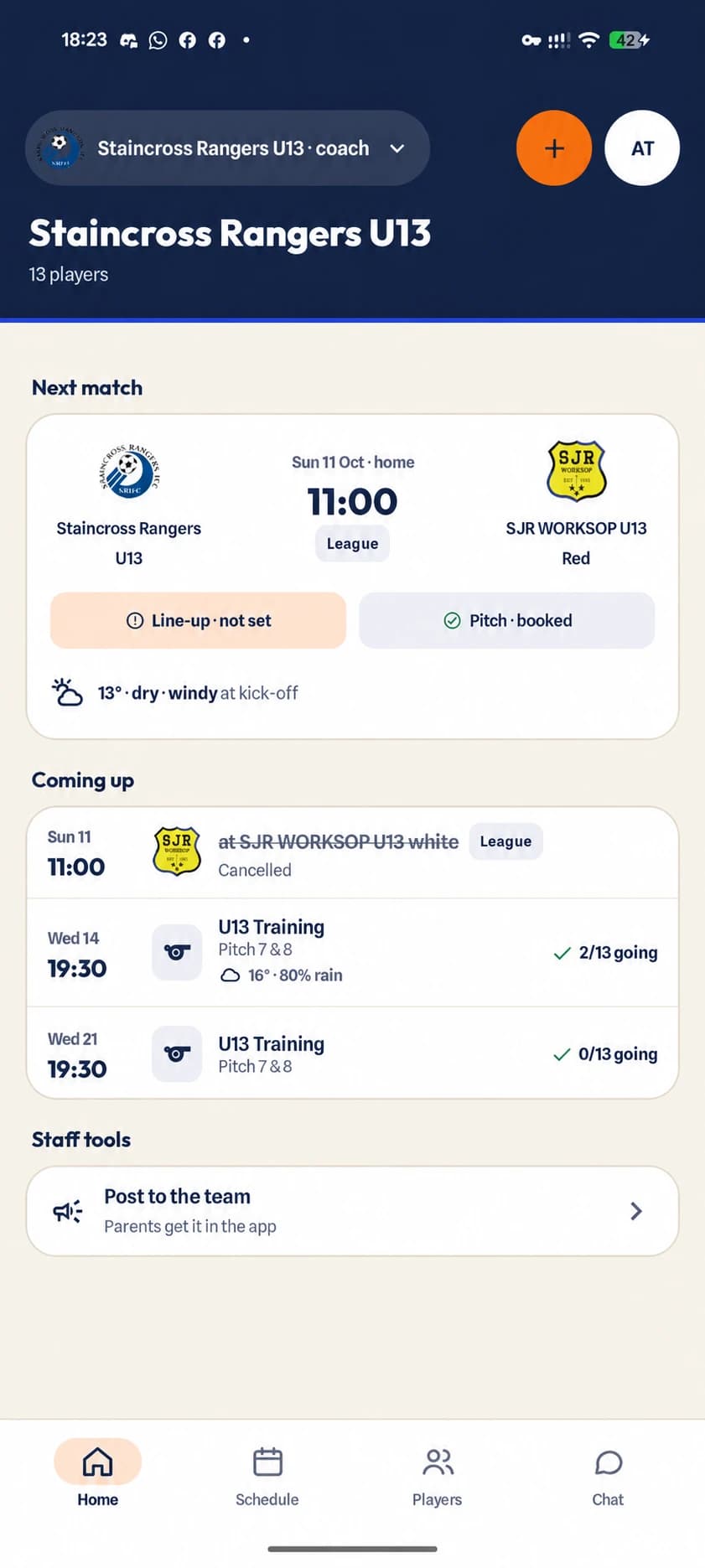
The coaching week
Manage the team from one schedule
- 1
Build the week
Squad, staff and schedule
Open your team to see players, coaches, volunteers and upcoming activity.
- 2
Confirm the detail
Match details
Confirm the fixture, choose the pitch and share the meet time, kit and location with parents.
- 3
Get the answer
Player availability
See responses clearly and remind the parents who have not answered yet.
- 4
Run the match
Team selection and matchday
Choose the format and formation, manage players on the pitch, log events and keep playing time visible.
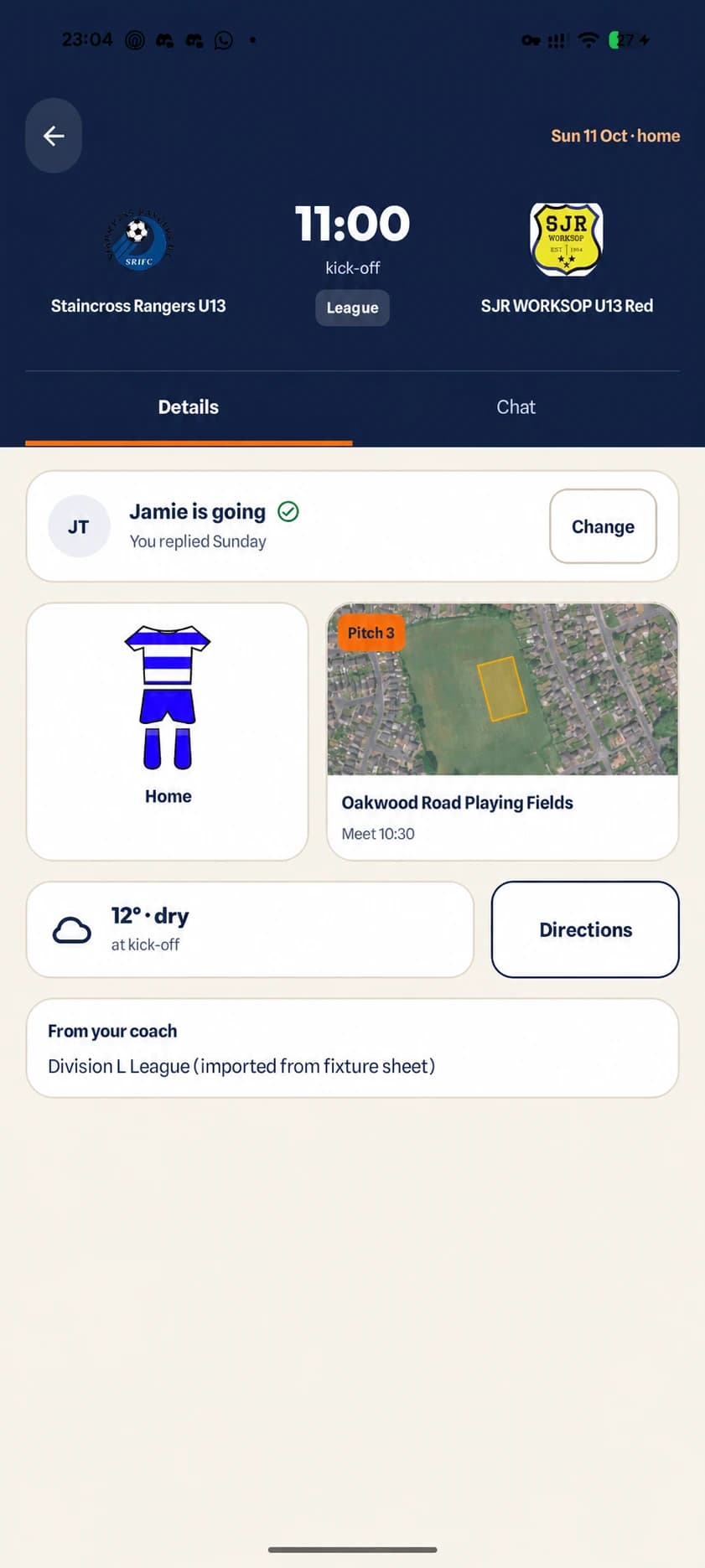
The match details families see after your update.
Match details
Update the fixture once
- Confirm imported fixtures before families rely on them
- Choose a venue and the correct pitch
- Show kit, kick-off and meet time together
- Use the pitch map to remove matchday guesswork
- Resend a parent invitation when someone needs it
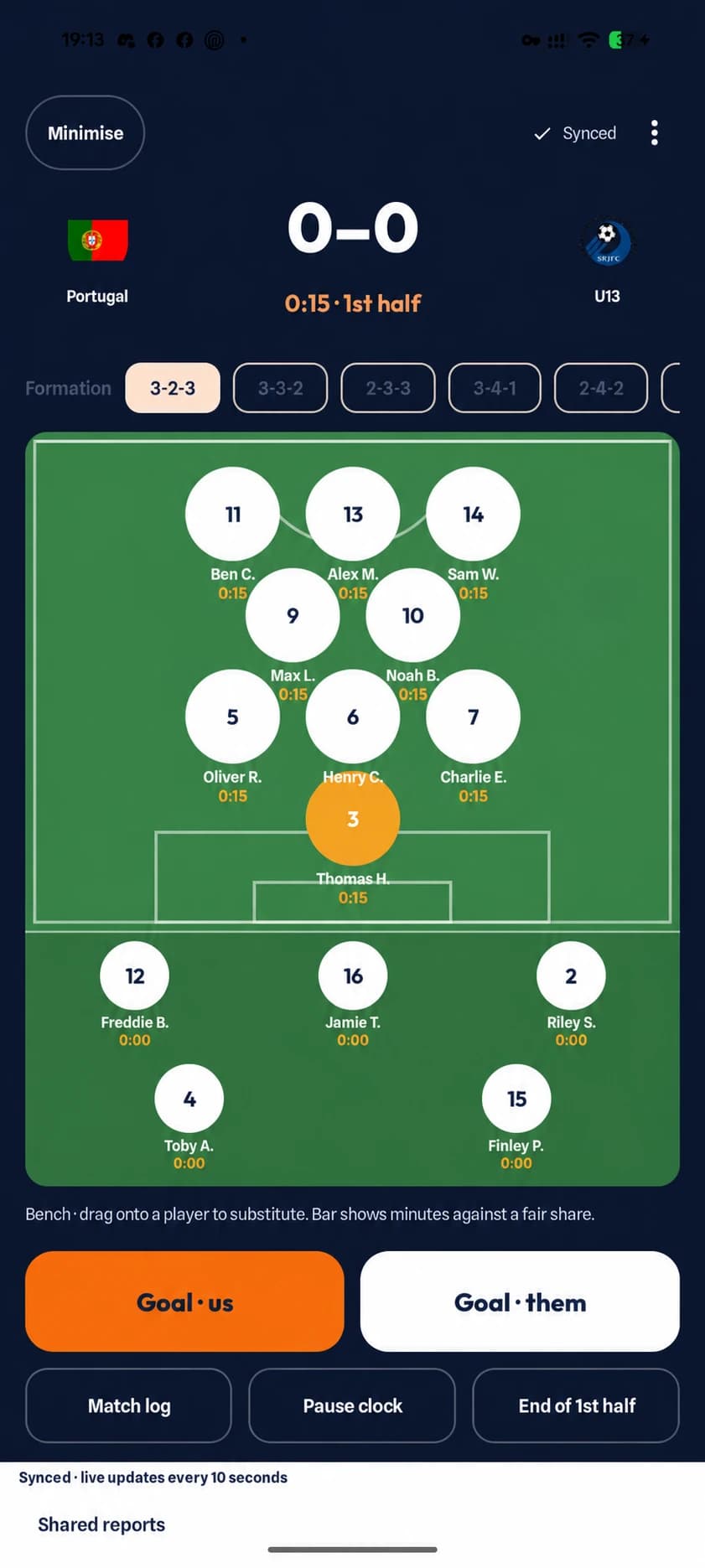
Matchday in the app
Update parents as the match happens
Set the format and formation, manage players on the pitch, record goals and substitutions, and keep playing time visible. The parent match centre reflects the events entered by the coach.
Available on Android and iPhone. The screen shown here is the Android coach matchday view.
Download the app when your club invites you
Club not using Playlee yet? Send the committee the self-service setup guide.