Create an empty club workspace
Start a club workspace with its name, web address, contact details, sport and colours. Review its public listing and your owner access before creating it. Seasons, teams and joining remain separate setup tasks.
Reviewed 4 October 2026 · Verified for Clubs web and app · September 2026
Before you start
- A signed-in Playlee account
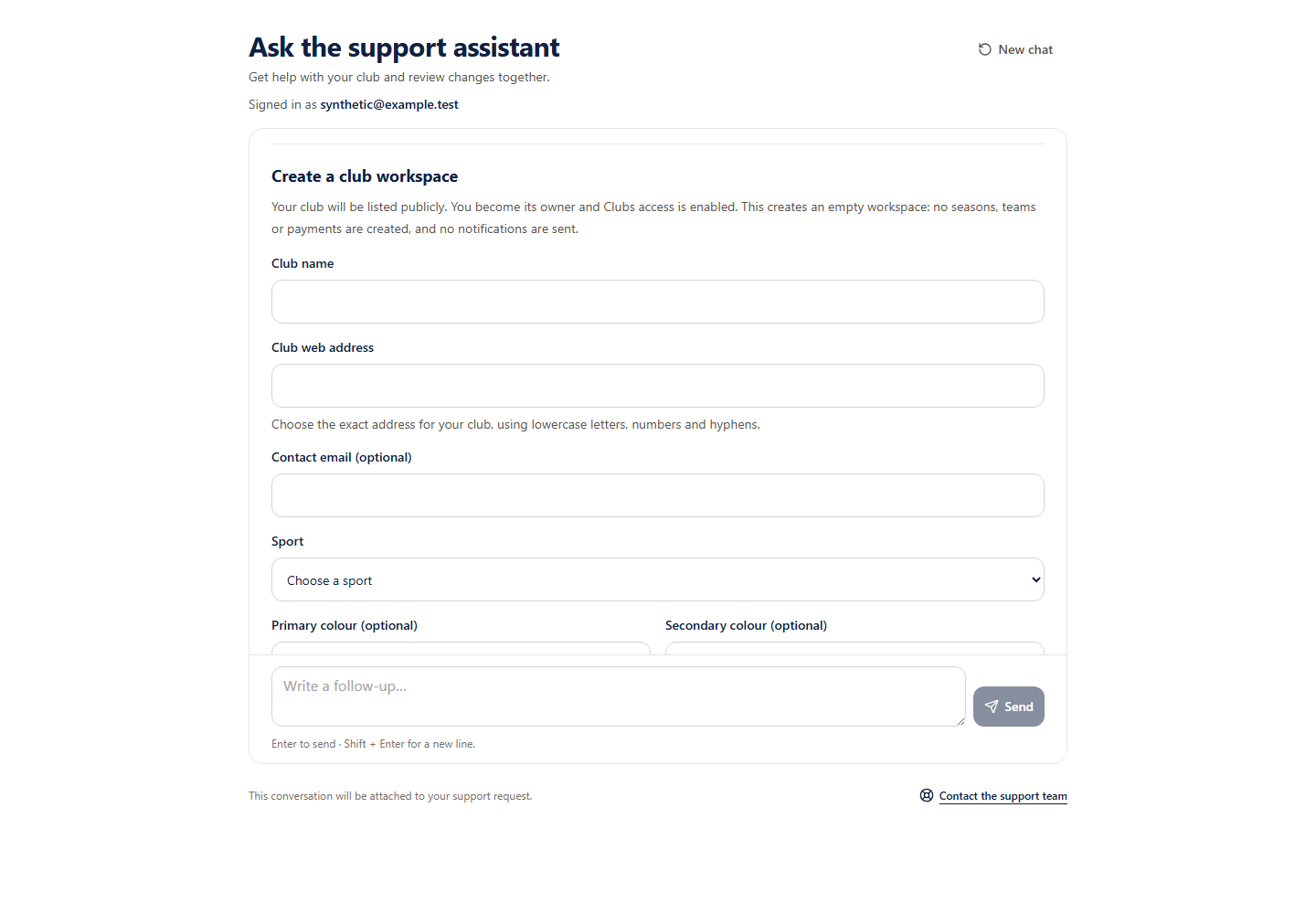 Open full-size screenshot
What this creates
An empty club workspace is publicly listed. You receive the club owner role and Clubs product access. No season, team, fee, invitation or notification is created. Support guided creation is available only to eligible pilot accounts.
Review a new workspace
- 1
Enter the club details
Choose the name and exact web address, optional contact email, permitted sport and optional brand colours.
- 2
Check the review
Confirm every detail, public listing, the club owner role and Clubs access grant. Approving this review creates only the empty workspace.
- 3
Continue the remaining setup
Add the season, teams and joining arrangements through the club setup screens after workspace creation.
Existing clubs and limits
Existing clubs and limits
Guided creation checks public club names and limits new creation to five current owned active clubs. A matching club may need ownership review instead of another workspace. Retry an uncertain save using the original request; do not start another creation.