Add a tournament match day
Review one calendar date and its local clock settings for an empty Advanced tournament workspace. No fixtures, entries or messages are created.
Reviewed 5 October 2026
Before you start
- Current owner or co-administrator access
- An Advanced workspace with no teams, fixtures or entries and fewer than 60 match days
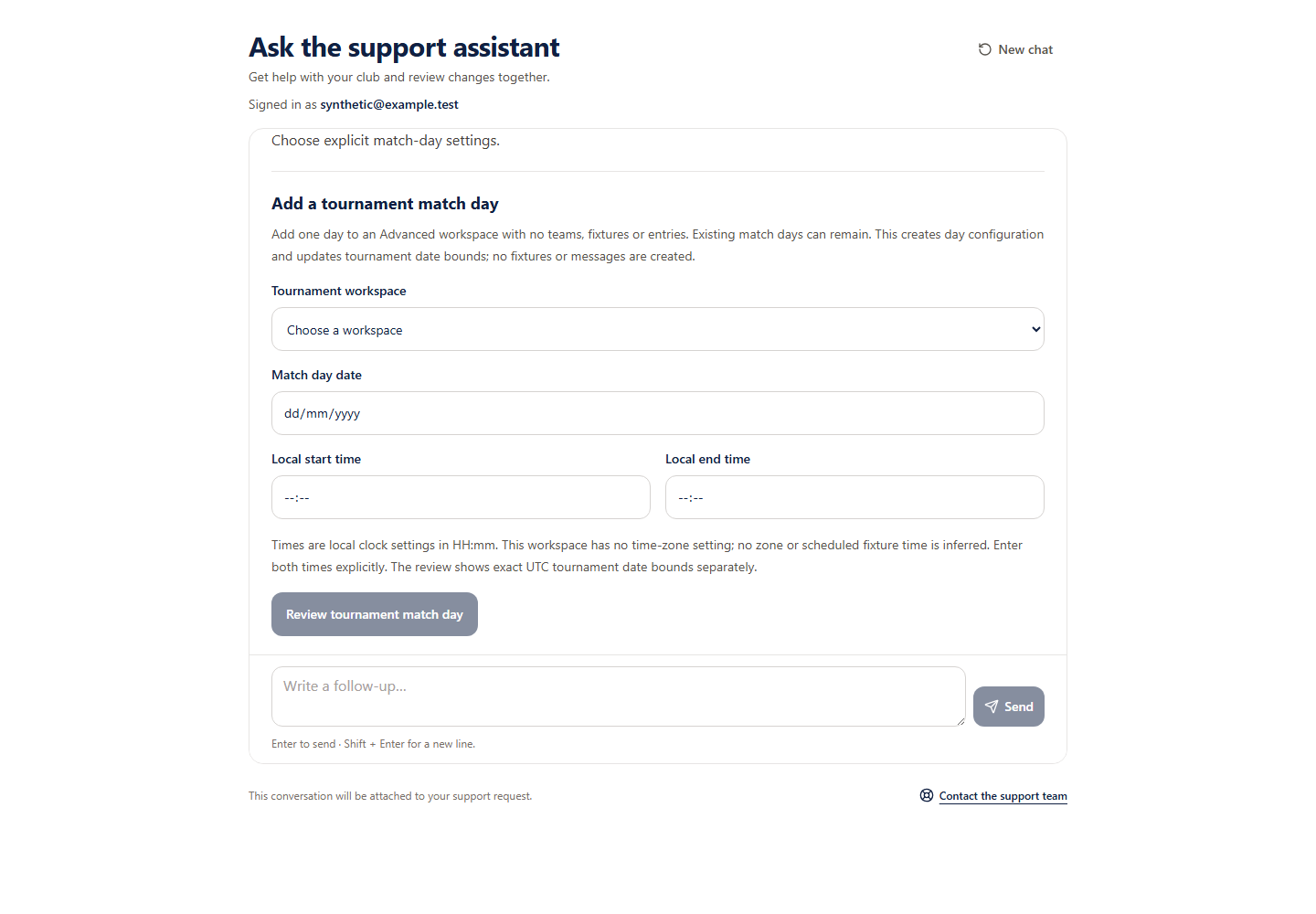 Open full-size screenshot
What you will do
Eligible Support pilot accounts can add one match-day configuration to an empty Advanced workspace. Existing match days can remain. Creation updates the tournament date bounds, preserving existing day timestamps; it creates no fixtures, entries, fees or messages. Public competition and signup settings stay unchanged.
Before you start
- Confirm the exact workspace name and organiser route, especially when names match.
- Have the intended calendar date and both local start and end times ready. No time zone is inferred.
How to do it
- 1
Choose the tournament workspace
Use the current authorised choices. The organiser route distinguishes workspaces with the same name. Workspaces with existing teams, fixtures, entries or 60 days need organiser review.
- 2
Enter one date and both local times
Choose a valid date that is not already configured. Enter start and end as HH:mm, with the end later on the same day. The form does not guess a time zone, create a zoned fixture or select a start or finish time for you.
- 3
Check all nine review details
Confirm the workspace, match day, local start and end, exact current and resulting UTC tournament date bounds, unchanged competition/signup flags and no fixtures or messages.
- 4
Approve the match day
Only the approval button starts saving. An uncertain save must be retried using its original request, or stopped. Stop does not remove a completed day.
Check you are ready
- The name and organiser route identify the intended workspace.
- The local clocks are explicit and ordered.
- The UTC date-bound changes are correct; they are separate from local fixture times.
If something looks wrong
If something looks wrong
Adding a day does not generate fixtures, add teams, accept entries, publish signup or send messages. A completed receipt proves the original save, not the current tournament dates. Continue wider setup through your organiser dashboard.