Add a tournament category
Review the complete category configuration, inherited fee, earliest deadline and possible published rules baseline in an empty Advanced workspace.
Reviewed 5 October 2026
Before you start
- Current owner or co-administrator access
- An Advanced workspace with no teams, fixtures or entries, closed public signup and available category capacity
 Open full-size screenshot
What you will do
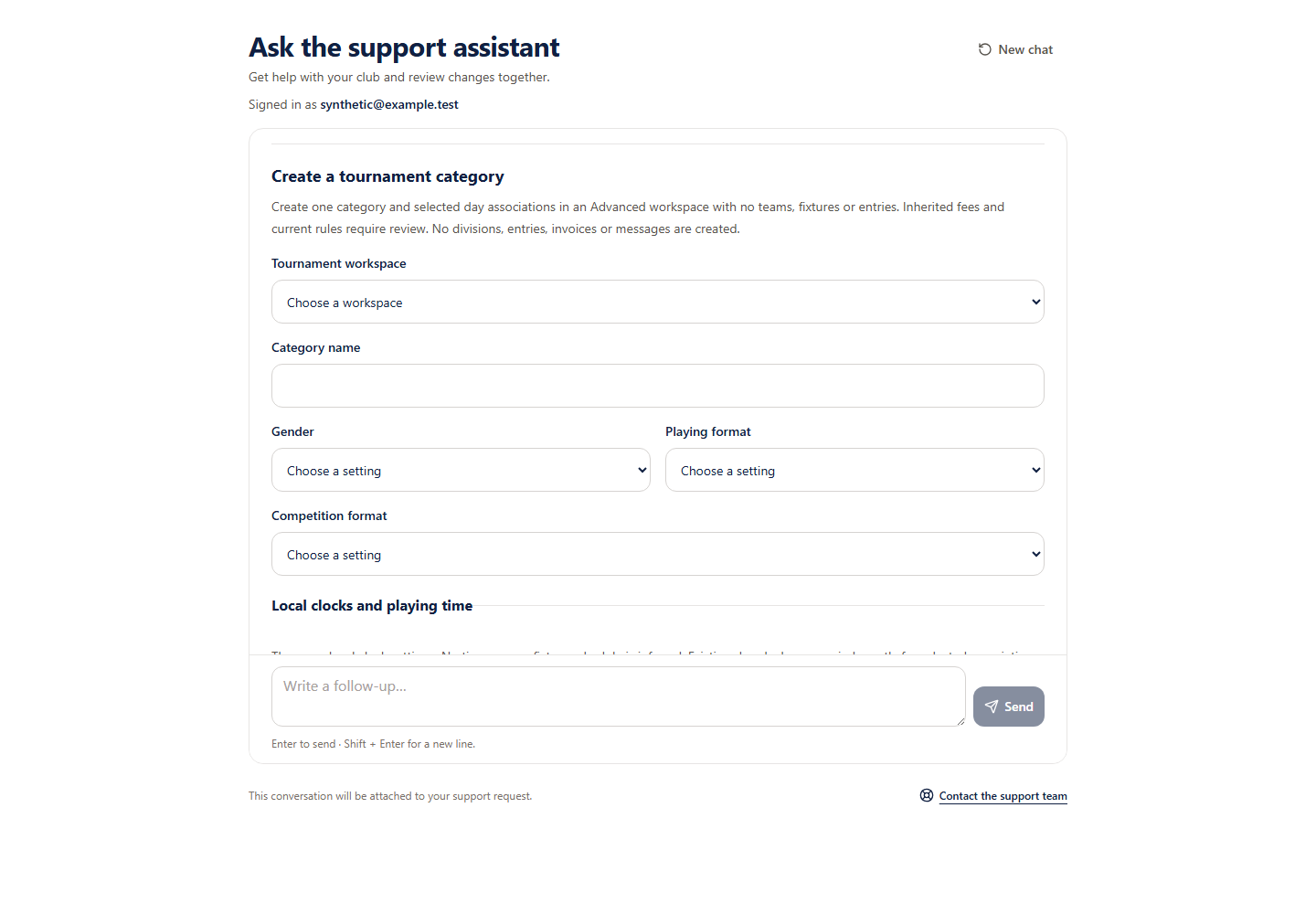
Eligible Support pilot accounts can add one category and selected existing day associations. The category inherits the tournament entry fee, currency and fee mode; no entries, invoices, charges or messages are created. Public competition visibility is preserved and public signup stays disabled.
Before you start
- Confirm the workspace name and organiser route.
- Have all category settings and intended day associations ready. Local clocks do not infer a timezone.
How to do it
- 1
Choose the workspace
Use the current authorised choices. The organiser route distinguishes matching names. Unsupported or populated workspaces need organiser review.
- 2
Enter every category setting
Choose supported gender, playing format and competition format, then enter fallback clocks, duration, changeover and minimum rest. Age, squad and entry limits are explicitly optional. Enter an optional deadline as a UTC timestamp ending in Z. No financial override is supported.
- 3
Choose existing days
At least one association is required when match days exist. Their local clocks are copied exactly; no new day or fixture is created.
- 4
Check the complete review
Confirm every setting, inherited entry fee and fee mode, earliest category/parent deadline and unchanged visibility. If no rules baseline exists, creation also publishes version 1 of the current pre-category rules snapshot without changing rules configuration.
- 5
Approve the category
Only the approval button starts saving. Retry an uncertain save with its original request or stop it. Stop does not remove a completed category or undo its baseline publication.
Check you are ready
- The organiser route and all category settings are correct.
- The inherited fee and effective earliest deadline are understood.
- The possible published rules baseline is explicitly reviewed.
If something looks wrong
If something looks wrong
The receipt proves the original request, not current tournament configuration. Editing categories, overriding fees, opening signup, creating entries and scheduling fixtures remain separate tasks.