Create a hidden simple fee plan
Enter every simple fee setting and approve its complete review. The new plan is hidden and unassigned, with no invoices or charges.
Reviewed 5 October 2026 · Verified for Clubs web and app · September 2026
Before you start
- Current finance permission for an active club
- An active season and the agreed financial configuration
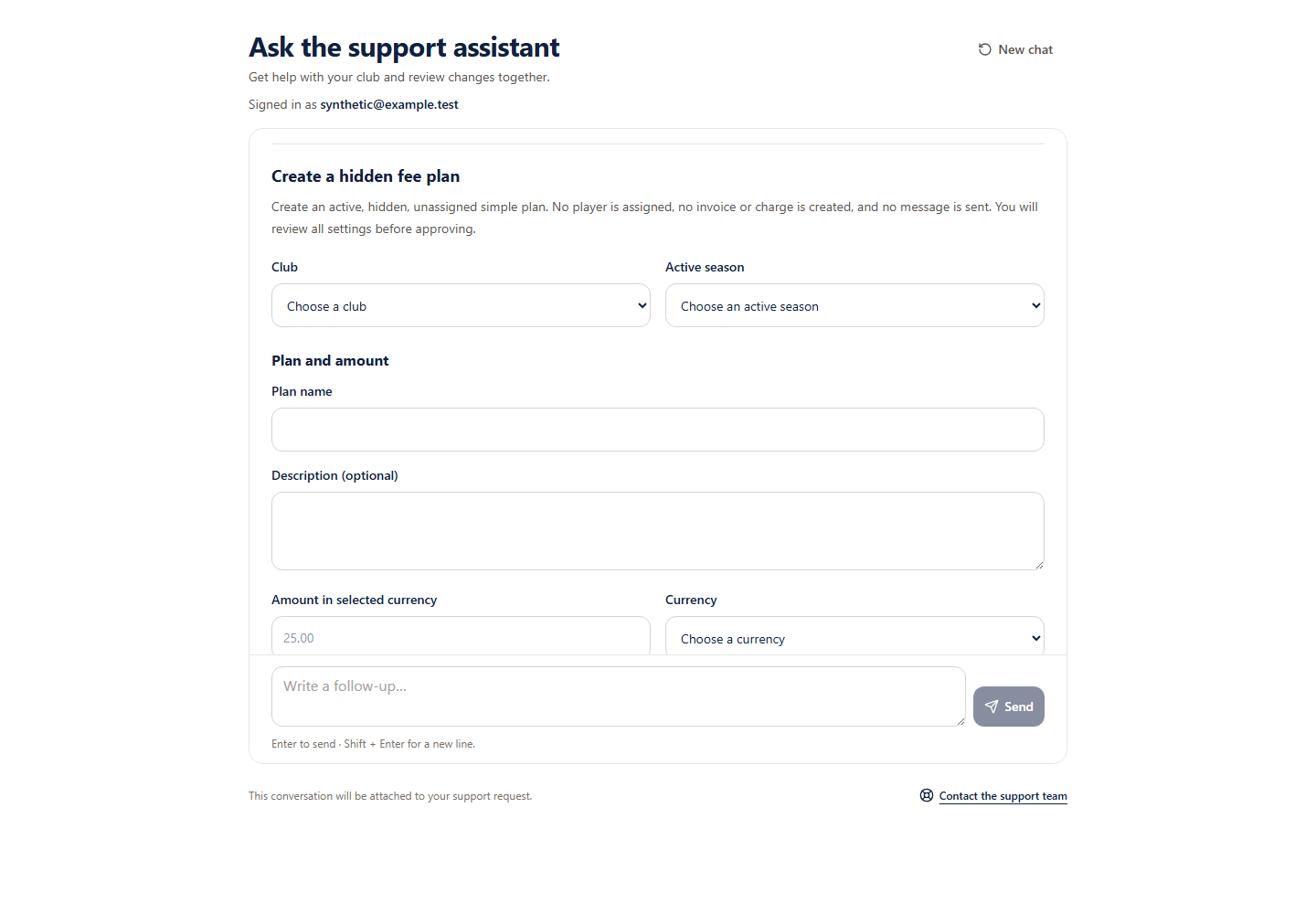 Open full-size screenshot
What creation does
Eligible Support pilot accounts can create an active, hidden, unassigned simple fee plan. Creation stores its reviewed charge component but creates no assignments, invoices, charges or messages. Existing plans, payment collection and instalment schedules use club Payments.
Review all settings
- 1
Choose current scope
Choose your eligible finance club and active season, then explicitly select all teams or an eligible team.
- 2
Enter the agreed configuration
Enter the name, optional description, exact amount and an offered currency. Choose the simple billing type, future registration presentation and failed-payment retry behaviour explicitly. Leave optional counts, intervals, dates, age limits, member limits and discounts blank only when you intend no setting.
- 3
Check the twenty review rows
Review every stored setting, including the actual derived charge component and the hidden, unassigned immediate effect. Registration deadlines require a complete time with UTC offset; calendar dates are stored as entered.
- 4
Approve creation
Only the approval button starts saving. This does not publish the plan, assign a player or collect a payment. Future retry settings apply only if the plan is subsequently used through club Payments.
Keep an uncertain save
Keep an uncertain save
Retry checks the same original request. Stop confirms a completed request or prevents the original request from running; it does not undo creation. A receipt confirms original creation, not the current plan visibility or status.